Whether your practice closed over the holidays or stayed open with skeleton staff, you likely returned to a full inbox and a backlog of paperwork.
That’s because your practice doesn’t just stop when the calendar does. Patients booked appointments while you were away, referrals came in and were triaged differently, depending on who was on duty, and you’ve spent the first few days untangling the Christmas admin mess. This point in the year is often when many practices start planning, asking themselves: Are we running efficiently? What systems are no longer working and how can we improve them?
To answer those questions meaningfully, you need a clear view of how your digital setup supports – or complicates – everyday work.
What does it mean to streamline your digital workflow?
Think about the technology your team relies on every day – from booking systems and online forms to secure messaging with other providers. Streamlining your digital workflow means examining how those tools are used in practice and whether they help staff do their work efficiently or add unnecessary steps.
In most practices, these tools don’t operate in isolation.
They form a sequence of tasks that admin staff and clinicians move through to get work done. When that sequence isn’t well aligned, information gets entered more than once, details need to be checked or corrected and manual admin is added to patch up delivery gaps between tools.
Reviewing digital workflows early in the year gives you an annual checkpoint to review that setup. It helps identify where extra admin has crept in over time and how software decisions affect efficiency, staffing needs and system costs across the year.
How to review and streamline your digital workflow
A useful workflow review doesn’t try to assess every system in isolation. It looks at a small number of core processes where technology is involved every day, then asks whether the way those tools are set up is still fit for purpose.
Patient access and intake
This includes online bookings, forms, confirmations and telehealth.
Start by following how a patient books an appointment. Which platform did they book through? Does the experience feel like your practice or a third-party product?
While standalone branded booking tools are convenient, over time, they can change who “owns” the patient relationship. Your patients start to recognise the booking software instead of your clinic name, and if you’ve been operationally dependent on it for 5+ years, it can be hard to make a change.
It’s worth considering whether you’re comfortable using that kind of program or whether you’d prefer a white-labelled booking tool that’s integrated into your practice management system, where every booking looks as if it comes directly from your clinic.
Then, consider the information flow. What booking information needs to be checked or re-entered before the information is usable by a clinician?
If staff are routinely correcting details, moving information out of PDFs into clinical systems or following up missing data, it’s a signal that the process should be automated or better integrated rather than handled manually.
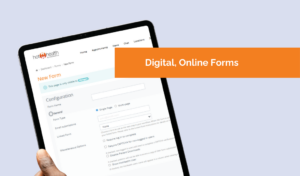 Volume matters here as well. If admin effort rises sharply when bookings increase, your process is likely amplifying demand rather than absorbing it. Practices using a digital booking and intake tool that integrates directly with their practice management system, such as HotHealth with Best Practice, tend to see less of this spike because bookings, forms and telehealth information are handled in one place.
External communications
This includes referrals, results and external correspondence from other providers.
How does the letter arrive, and how is it matched to the correct patient record? This is often where manual follow-up becomes necessary downloading documents, renaming and re-attaching files, or chasing up missing Medicare or insurance details.
Similar to booking processes, referral volumes can be unpredictable and tough to handle if your technology isn’t set up right.
Let’s take winter as an example. As chronic conditions like COPD worsen, you might be sending more referrals while also dealing with a surge in discharge summaries from emergency departments and specialists. Do your staff end up chasing reports and juggling email with faxes to just keep patients moving through the system?
When your team is relying on this kind of manual patchwork, your referral workflows aren’t doing their job.
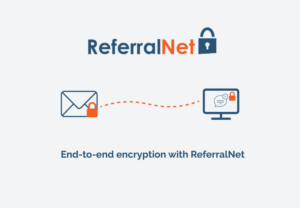
This is where secure messaging tools like ReferralNet can be useful – documents are sent and received from within your clinical software, with built-in tracking and custom notifications so staff can keep on top of activity. And with the option to convert incoming faxes into secure electronic documents on arrival, you can avoid sensitive documents ending up on printers.
Finally, review reminders, messages and ongoing patient communication.
This is often where practices rely on clunky workflows. Messages are sent from one tool, confirmations are checked in another and staff rely on a mix of system logs, inboxes and memory to keep track of what has or hasn’t been done.
Pay attention to how staff confirm that communication has been sent and received. If this requires checking multiple places or if responsibility shifts between people depending on who is on duty, the process is carrying hidden risk as well as admin effort.
What now?
A review shouldn’t leave you with a long list of problems to file away. Its value is in uncovering whether your systems work together across the patient journey.
As a final sense check, look for:
- Patient access and bookings that flow directly into your practice management system and are branded to your clinic – rather than through big name consumer apps.
- Referral workflows that are systemised, automated and efficient – handled securely via one inbox software, with tracking and customised notifications
- Security and interoperability designed for the Australian healthcare system, using standards such as CDA, HL7 v2 and FHIR
- Patient communications that don’t rely on staff memory or multiple manual systems
- Connected workflows end-to-end, where increases in demand don’t automatically create increases in admin.
Used this way, a workflow review can become a filter for 2026 decisions. It helps to clarify where technology investment will genuinely reduce pressure, which subscriptions are earning their place and whether staffing challenges are structural or symptomatic.
Making time for this review early in the year allows practices to set priorities deliberately, rather than reacting to inefficiencies that have already ground day-to-day operations to a halt.
Learn more about connected workflows
Practices interested in exploring how digital bookings, intake workflows and secure messaging can operate within an integrated environment are invited to register for an on-demand webcast outlining how HotHealth, ReferralNet and Bp Premier work together.
The session covers:
- Appointment synchronisation within Bp Premier
- Integrated digital forms and telehealth workflows
- Secure messaging aligned with Australian interoperability standards
- End-to-end workflow visibility across patient access and referrals
Registration details are available via the Best Practice partner page below.
Additional support for Bp members
For practices currently reviewing their digital workflows, Global Health is offering introductory support for Bp members, including:
- Setup and onboarding assistance
- Training support
- Unlimited online appointment bookings until June 2026
Further details, including pricing information and webcast registration, are available here.
For enquiries:
[email protected]
+61 03 9675 0600
Newsletter Subscription
"*" indicates required fields
